
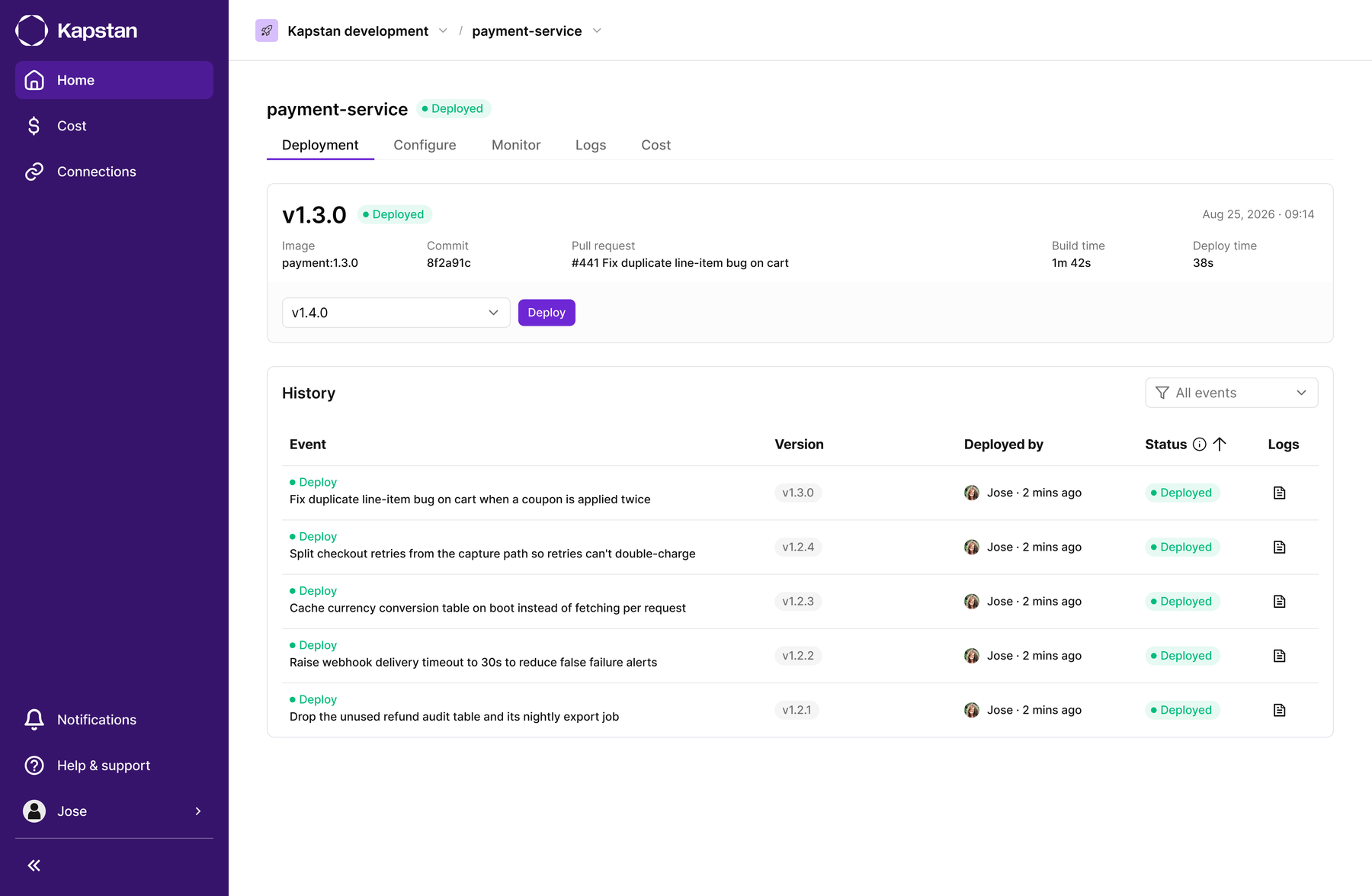
How do you give developers one place to ship from, without requiring Kubernetes expertise at every step?
Shipping and running an application on Kubernetes usually means jumping between several tools: hand-written YAML for configuration, a separate CI/CD tool for deploys, and another dashboard (or three) for logs and metrics. Every switch costs time and invites mistakes. And teams without deep Kubernetes knowledge found even simple tasks hard to get right.
Double Diamond
Shipping on Kubernetes was spread across three tools. Most of the work was deciding how much of it belonged on one screen, and what to leave out.
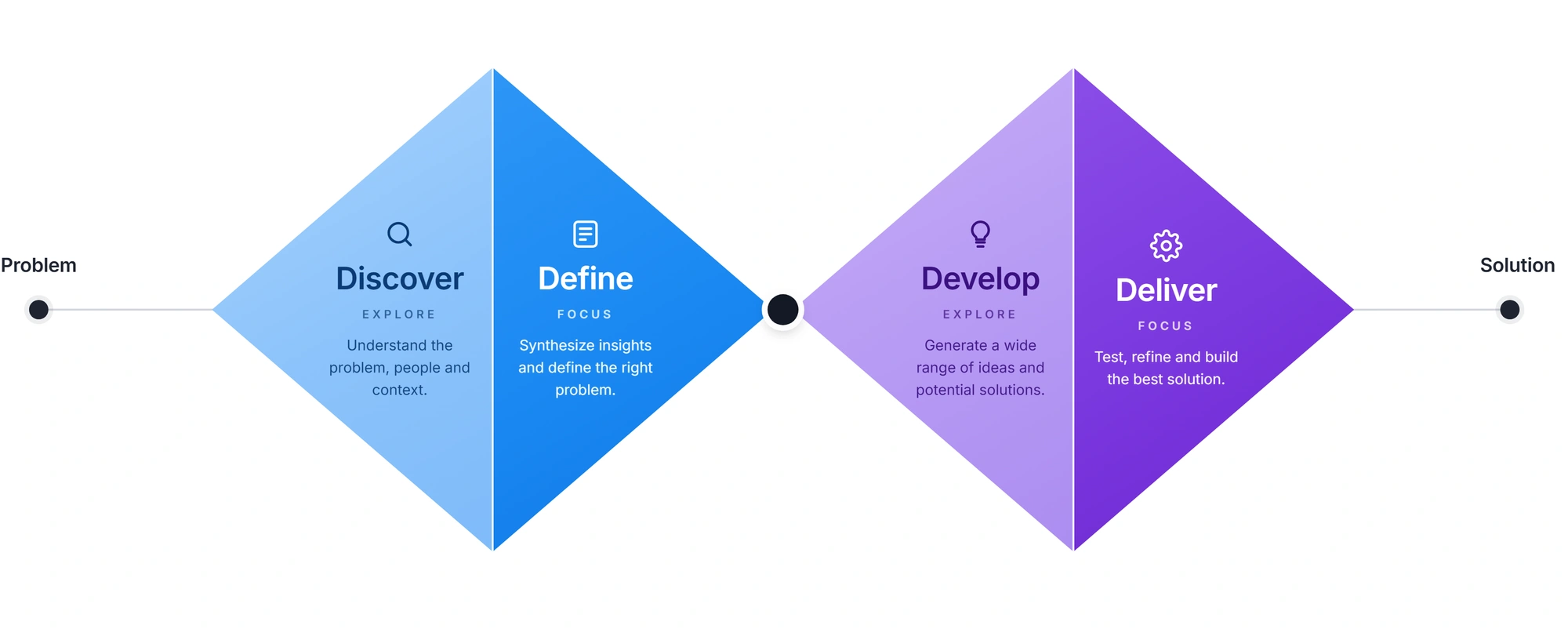
Discover
Follow one deploy from start to finish.
Shipping an application meant hand-written YAML for configuration, a separate CI/CD tool for the deploy, and another dashboard or three for logs and metrics. Every switch cost time and invited mistakes, and teams without deep Kubernetes knowledge found even simple tasks hard to get right.
Define
One place to ship from, no Kubernetes expertise required.
The problem was not any single tool, it was the gaps between them. Configuration, deploy, and monitoring had to sit in one continuous workflow. Two rules followed: no YAML by default, and every signal about a service in the same view.
Develop
Put the review before the deploy.
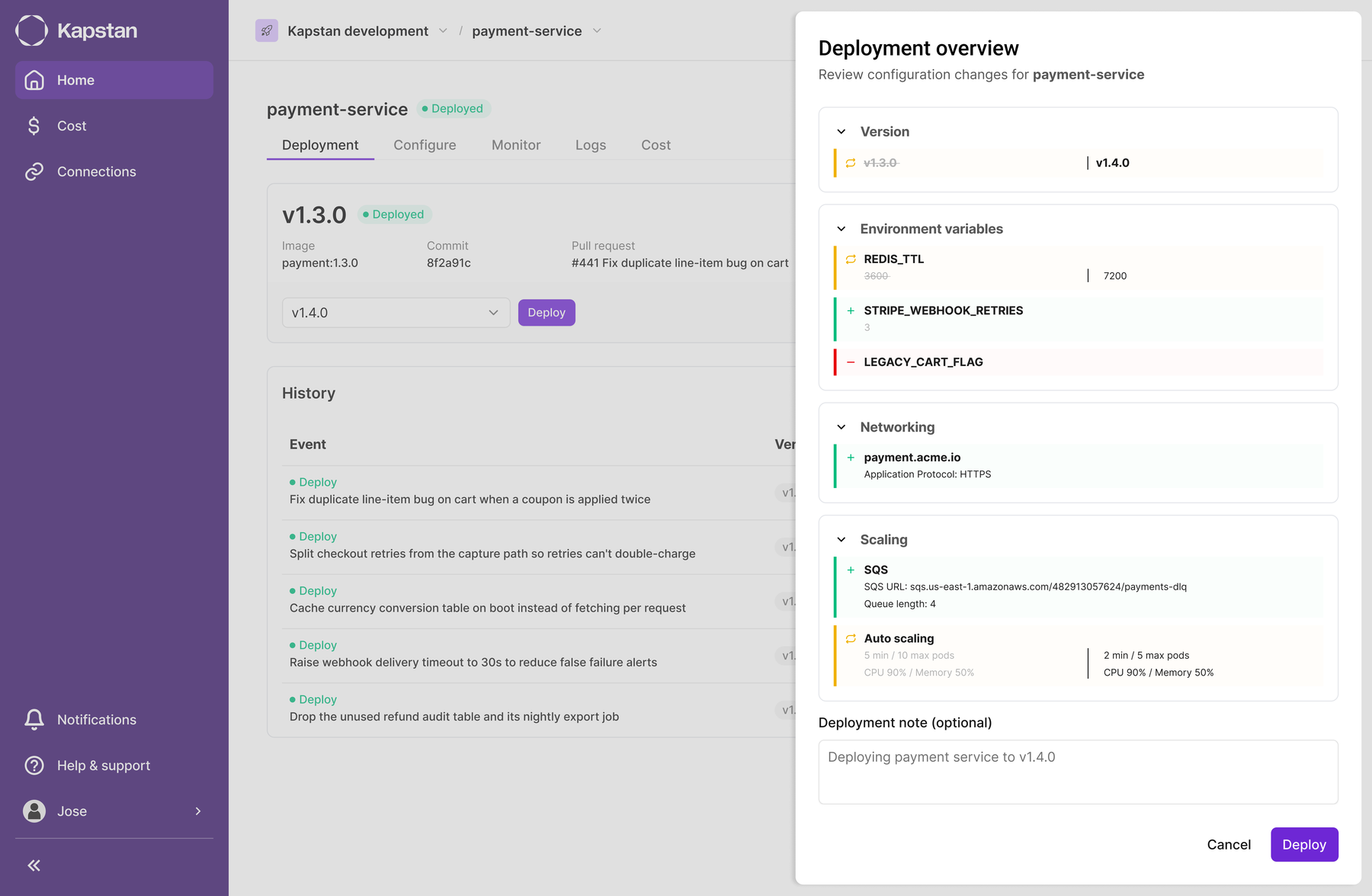
The risky moment was hitting deploy and hoping nothing broke. I chose to add a review step rather than make the deploy button the fastest possible path: an overview of the new version with every changed value grouped by what it affects, shown before anything ships. Monitoring followed the same logic, keeping metrics, logs, and history where the deploy happened instead of in another tool.
Deliver
The deployment task took 33% less time in Kapstan.
Configuration, deploys, metrics, logs, and history ended up on one surface, so a deploy and its outcome are visible in the same place. Comparing users' existing deployment flow with the Kapstan flow, the same task took 33% less time in Kapstan. Debugging a bad release starts with the deploy that caused it rather than a hunt across three dashboards.
Decision and result
Decision
Add a review step that shows every changed setting before a deploy goes live.
Evidence
Developers had to piece together configuration, deploy status, logs, and metrics across separate tools to understand what changed and whether a release worked.
Result
In a comparison with users' existing deployment flow, the Kapstan flow took 33% less time to complete the deployment task, even with the review step. The deploy and its health signals are visible in the same place.
Goal: put everything developers need in one place, instead of three separate tools.
No YAML by default
A simple interface sits on top of the manifests most teams still write by hand.
One view, every signal
Deploys, metrics, logs, and history live in the same place.
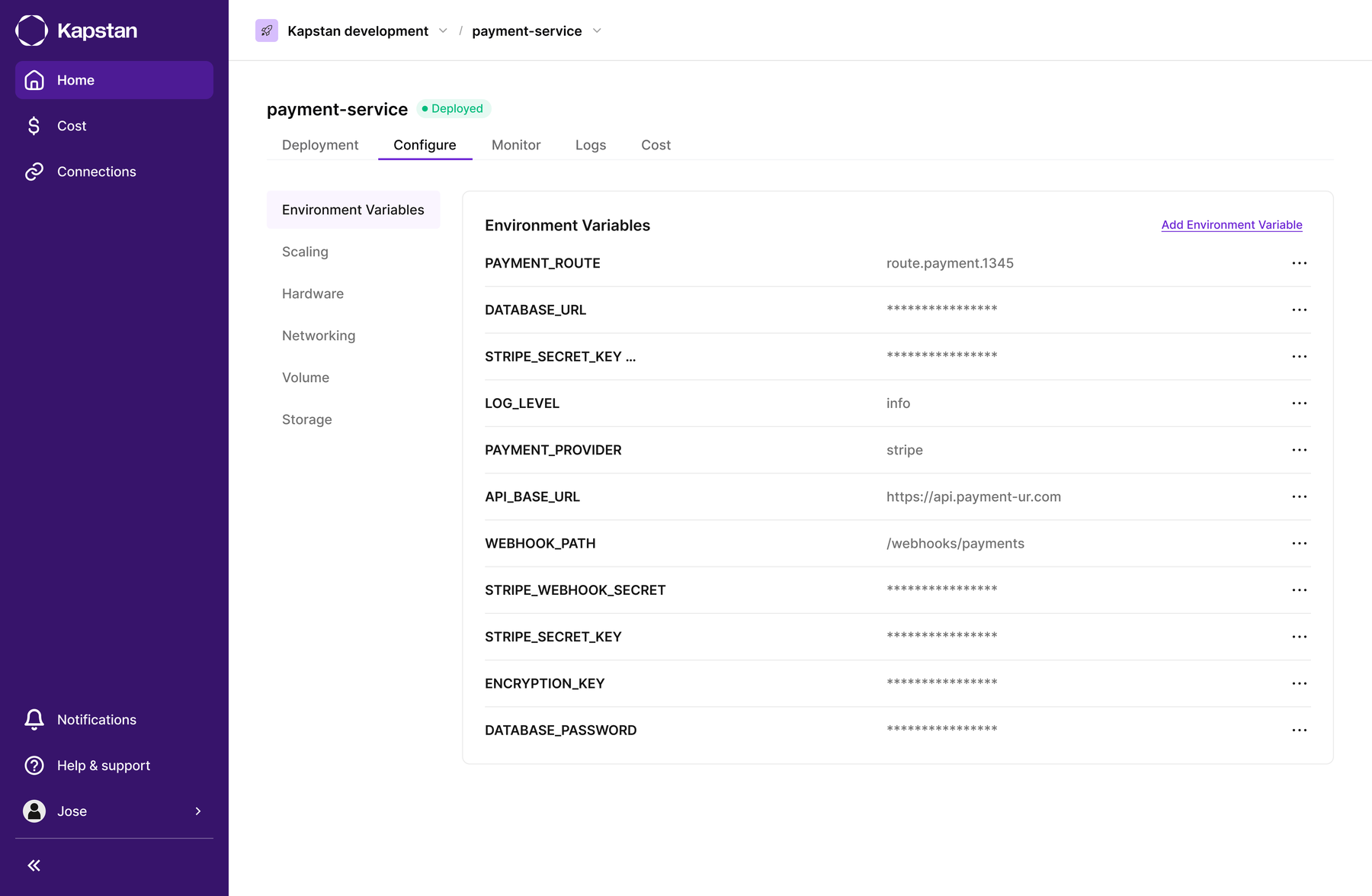
Configure Without YAML
Environment variables, secrets, resource limits, and ports all lived in manifest files that people edited by hand. One typo away from a bad deploy.
A UI layer over Kubernetes manifests
You can adjust your service's configuration settings without writing any YAML by hand.
Deploy on Push
Hitting deploy used to mean pushing a new version and hoping nothing broke. There was no easy way to see what was actually changing before it went live.
Every deploy opens with a clear overview of what's changing
Once you hit deploy, Kapstan opens an overview of the new version before it goes live. It lays out exactly what's changing, like the version, environment variables, networking, and scaling settings for that service, so you can review everything and confirm before anything ships.
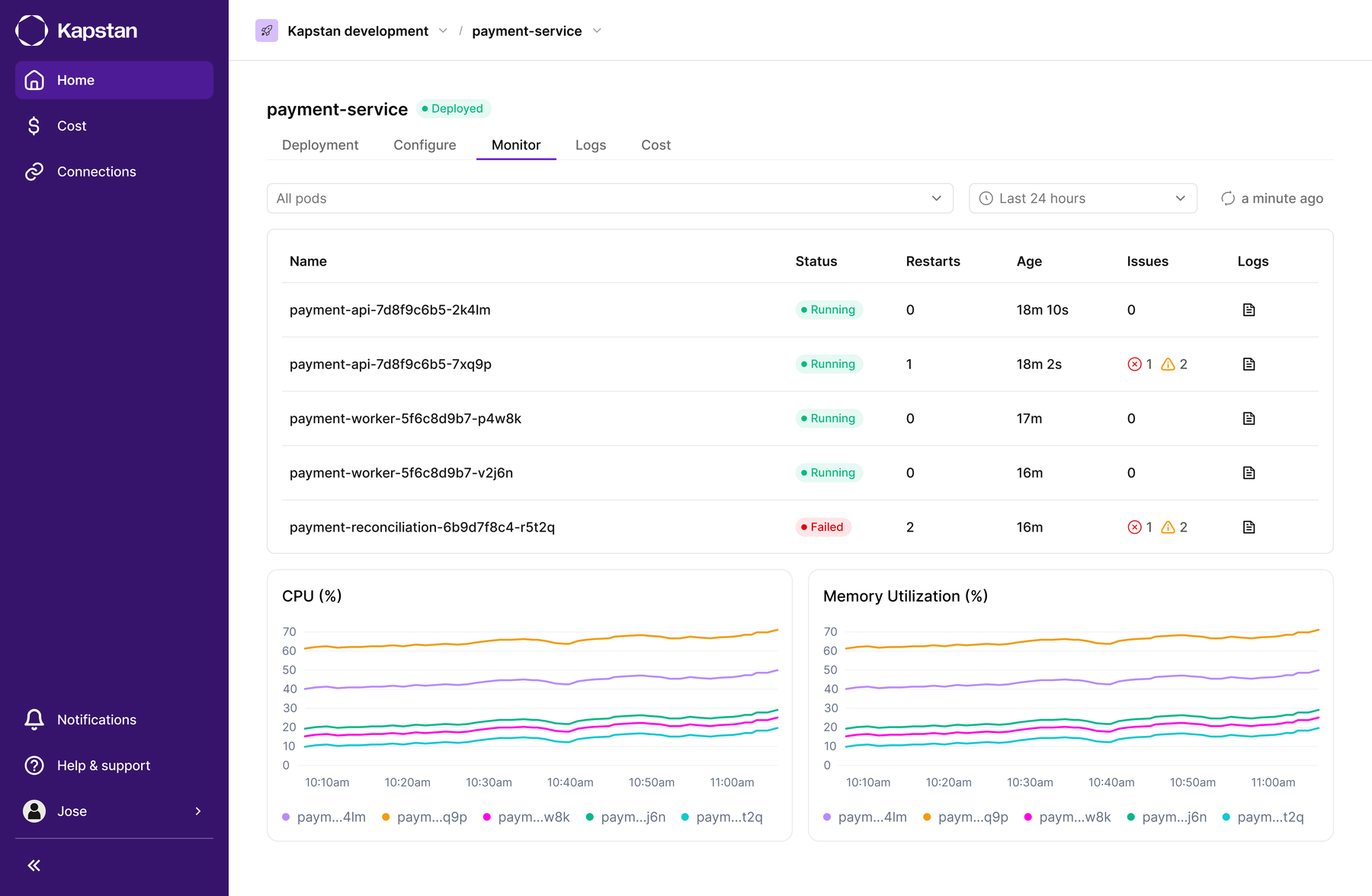
Monitor Without Leaving
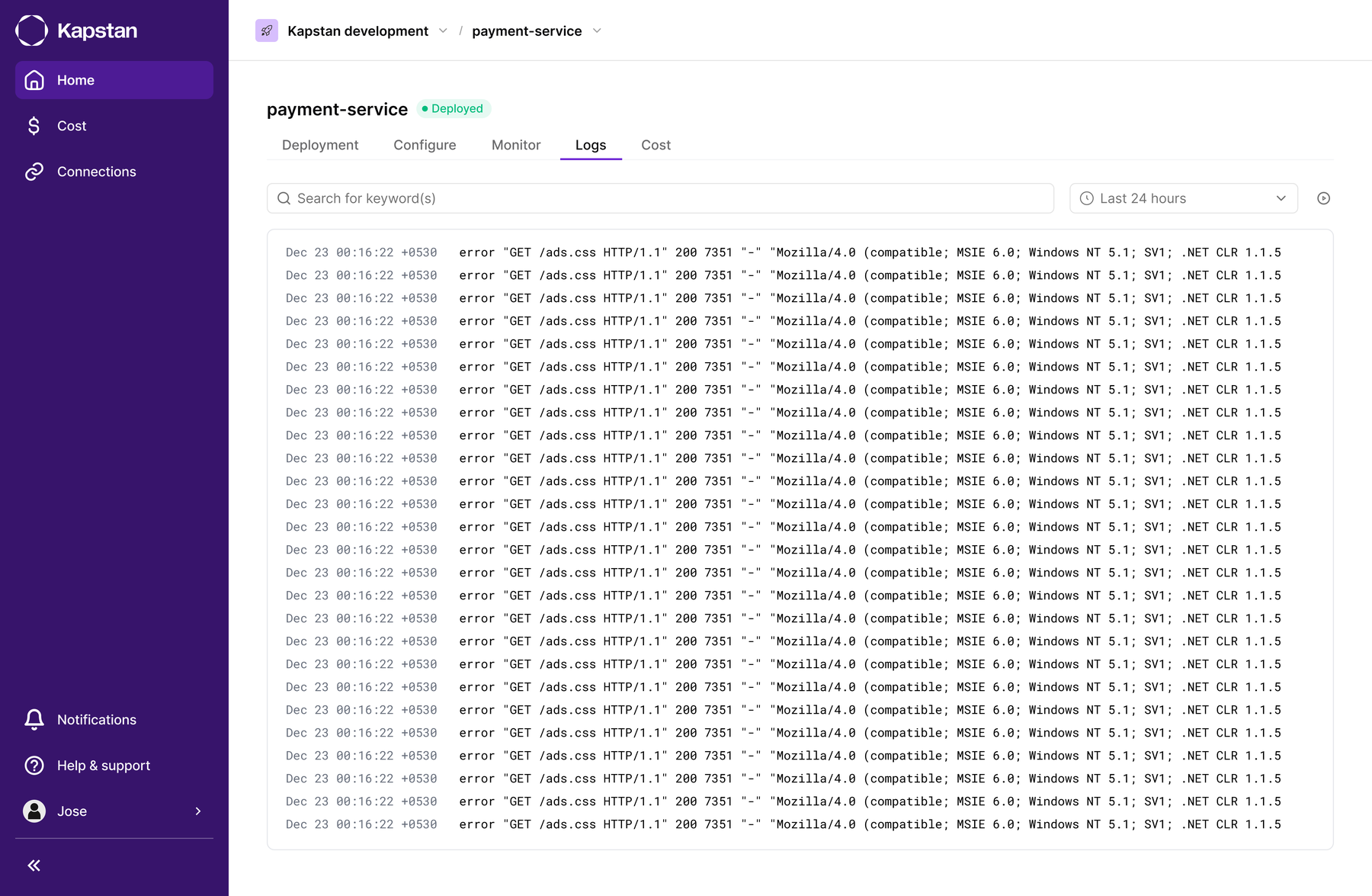
Figuring out what went wrong with a release meant piecing together logs, metrics, and a separate APM tool by hand.
Real-time metrics, logs, and APM, with nothing else to set up
Every application gets real-time metrics and centralized logs, plus built-in APM that tracks API response times.
Deployment History
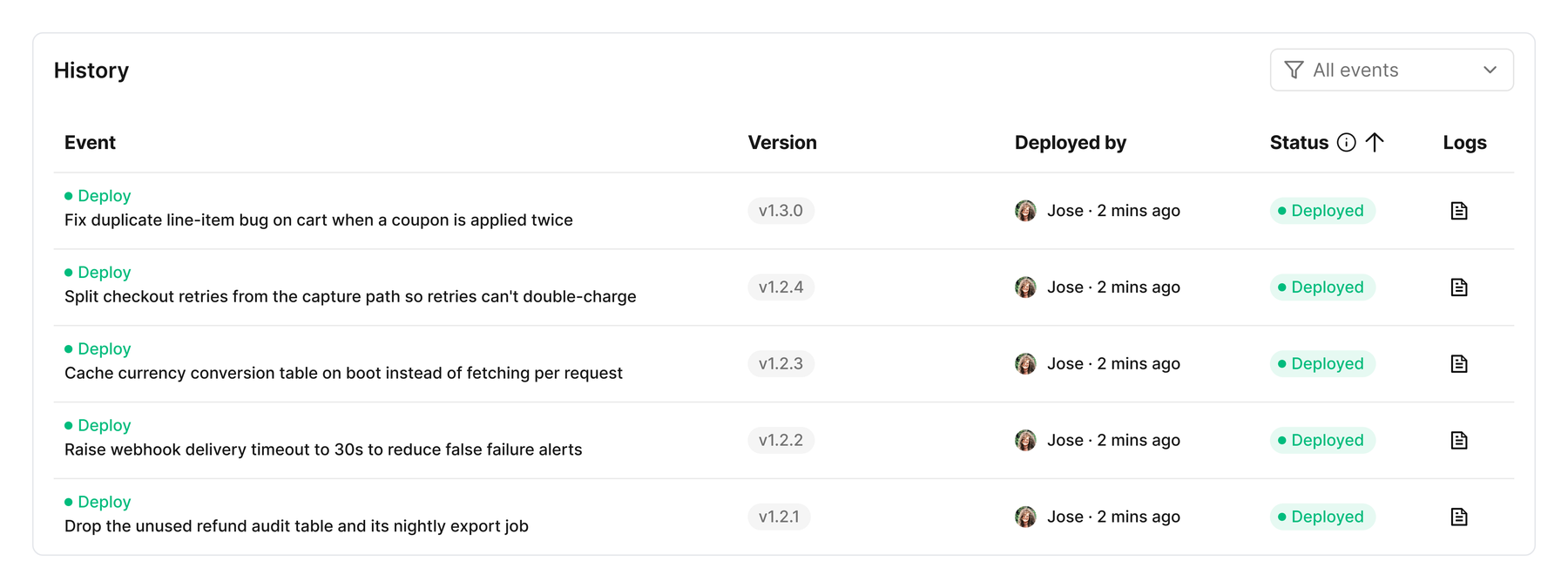
Debugging a bad release always started with "wait, what changed?"
A record of who deployed what, and when
Every past deploy keeps its own logs, so debugging never starts from zero.
33% less time to complete a deployment task.
We compared the time users spent completing their existing deployment flow with the Kapstan flow for the same task. The Kapstan flow took 33% less time. The review step made changes visible before release, while logs, metrics, and deploy history gave teams one place to check the outcome and investigate a bad release.
Good tools stay out of the way.
Developers touch this surface every single day. The goal was never to impress anyone. It was to get out of the way: the fastest path from writing code to seeing it run safely in production. Most of the work was deciding what to leave out until someone actually needed it.
Read the next case study
Cloud cost, before the bill arrives