
How do you help job seekers stay organized, practice for the exact role they want, and walk away from every exercise with real proof of their skill, without making them stitch together five different tools?
Job seekers were already applying to a lot of roles while trying to learn new skills on the side. Applications were scattered across tabs, boards, and spreadsheets. Practice had nothing to do with the actual job. And when someone finished a project, there was no way to prove it was any good.
Double Diamond
Codei began as a tracker and ended as a loop. Most of the work was deciding which parts of that loop people would actually use.
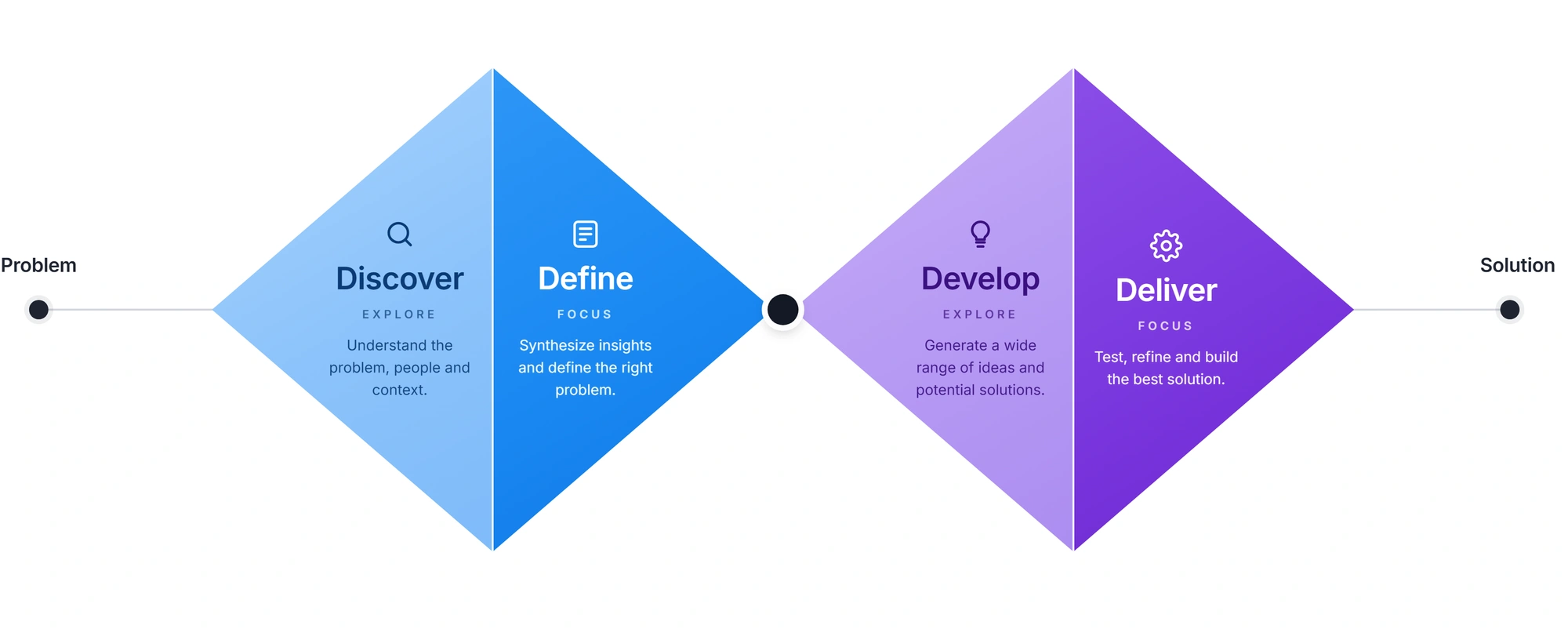
Discover
Ask how people already work.
I asked job seekers how they tracked applications. Almost everyone said browser tabs and a spreadsheet. The same conversations surfaced two more gaps: practice had nothing to do with the roles they wanted, and finished projects had nothing to prove they were any good.
Define
Every application needs a next action, not a status.
Three scattered complaints turned out to be one problem. A status tells you where an application sits but never what to do about it. That set the scope: tracking, practice, and proof had to feed into each other, instead of sitting side by side as three separate tools.
Develop
Fewer questions, closer to the real job.
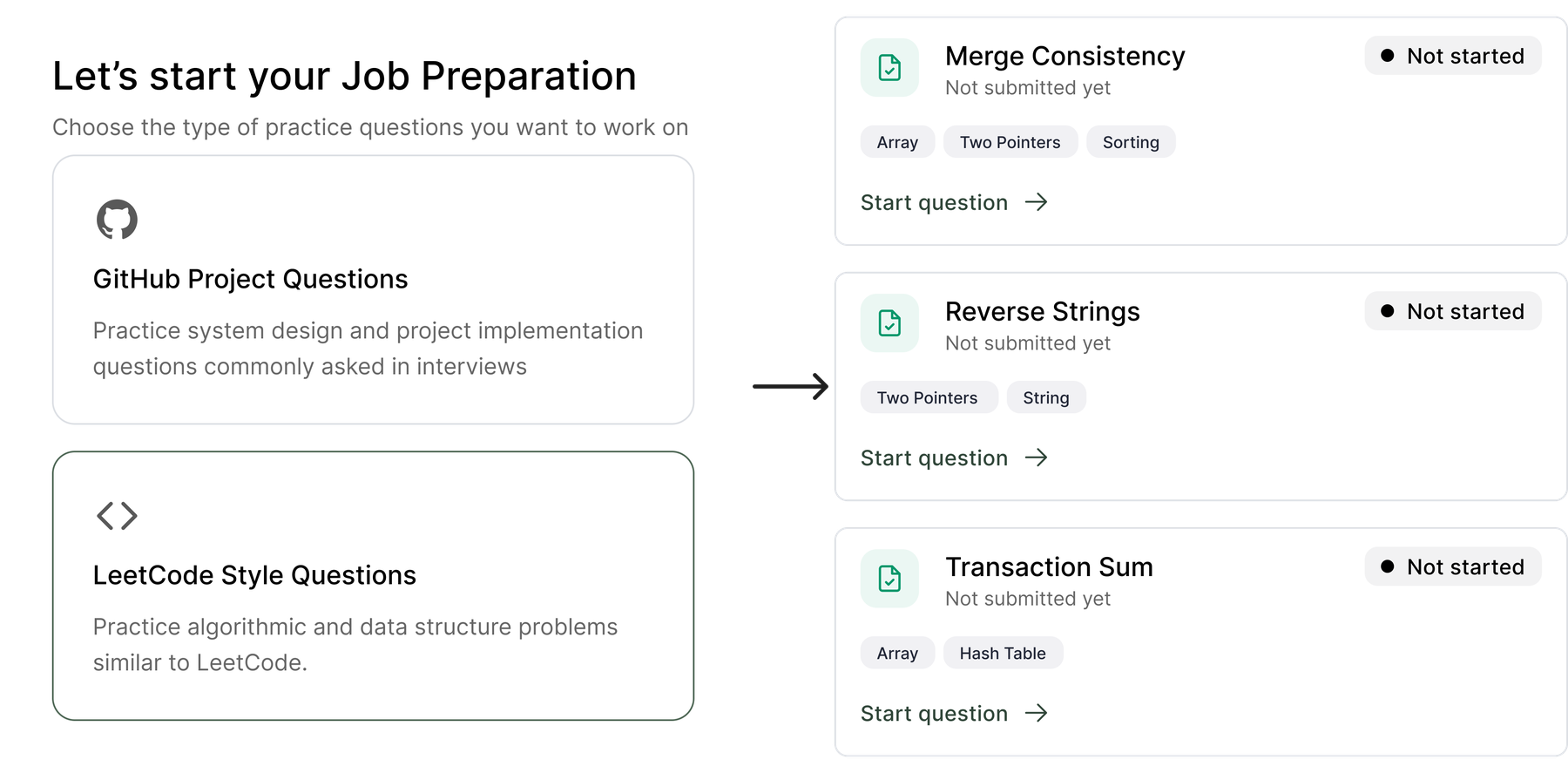
My first plan was a big question bank with difficulty levels and streaks. Testing showed a mismatch: the bank organized practice by difficulty and streaks, while job seekers were trying to decide what to practice for a specific role. They wanted questions matched to that job's skills. I cut the bank and designed two modes generated from the posting: a LeetCode style problem or a GitHub style project.
Deliver
Proof, not a promise.
The final design follows four steps: save a job from anywhere, generate questions from that posting's skills, submit real code, then see a test run beside a written review. Each exercise is designed to leave someone with work they can show a hiring manager.
Decision and result
Decision
Replace the planned question bank, difficulty levels, and streaks with two practice modes generated from a specific job posting.
Evidence
In testing, the decision job seekers needed to make was what to practice for a saved role. The planned bank sorted generic questions by difficulty and rewarded streaks, but did not connect practice to the skills in that posting.
Result
The final flow gives each saved role three skill tagged questions in either a coding problem or small project. A submitted repository then receives a real test run and written review.
Goal: give every application something to do next, not just a status to check.
Capture from wherever you are
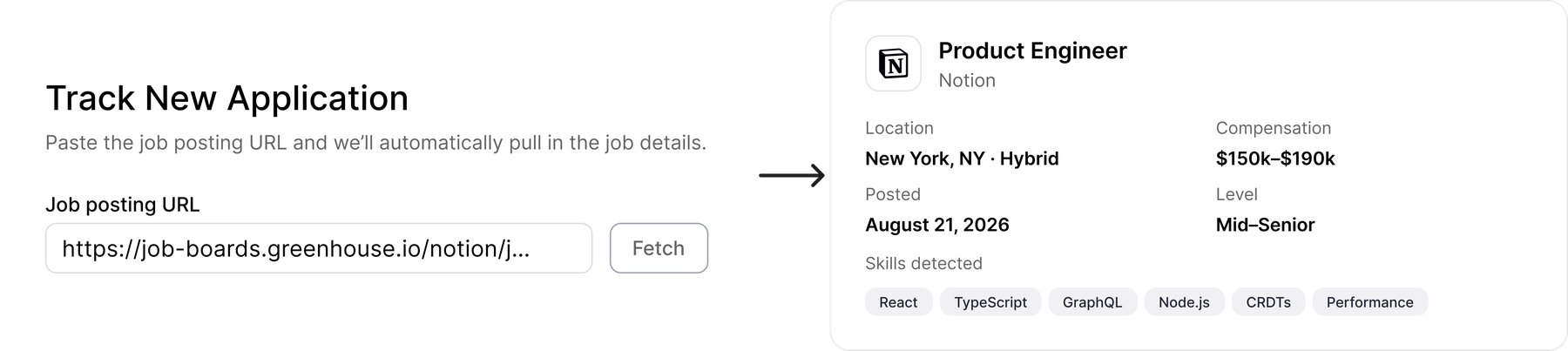
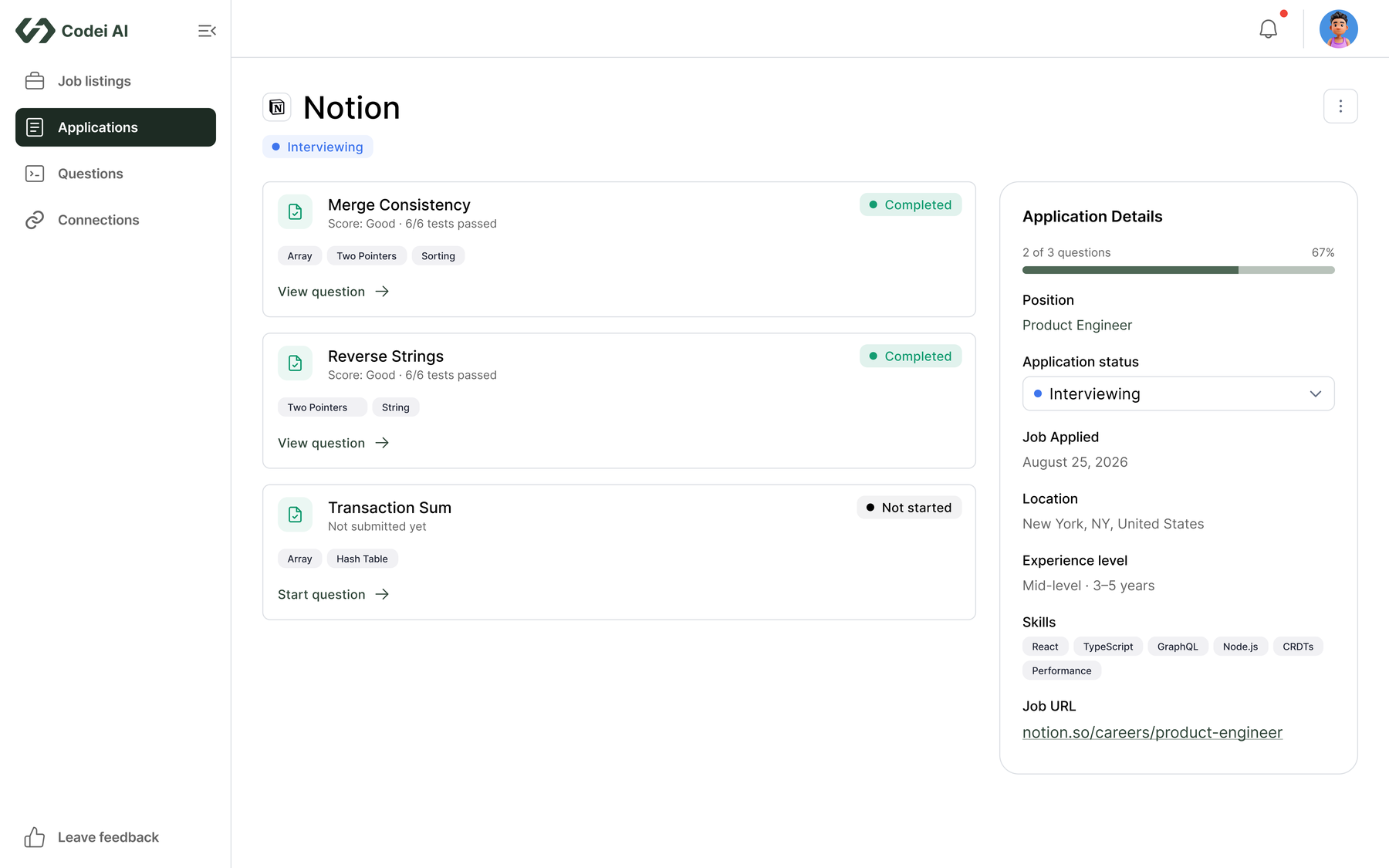
Save a job from wherever you find it, or track it directly inside Codei.
Practice shaped like the job
GitHub project or LeetCode style questions, generated from real skill tags.
Every exercise leaves you with something
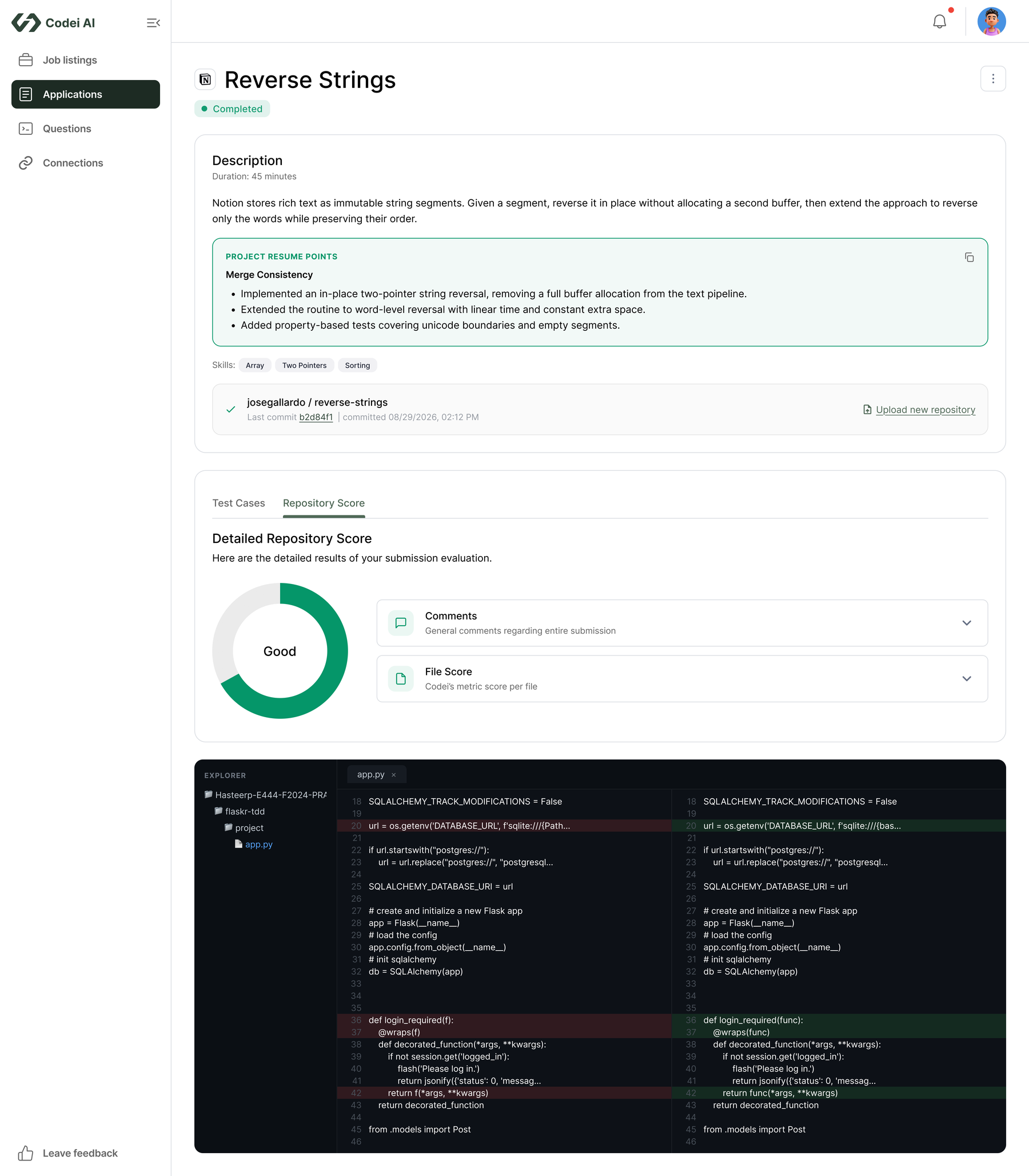
A line you can put on your resume, not just a checked box.
Real proof, not just a number
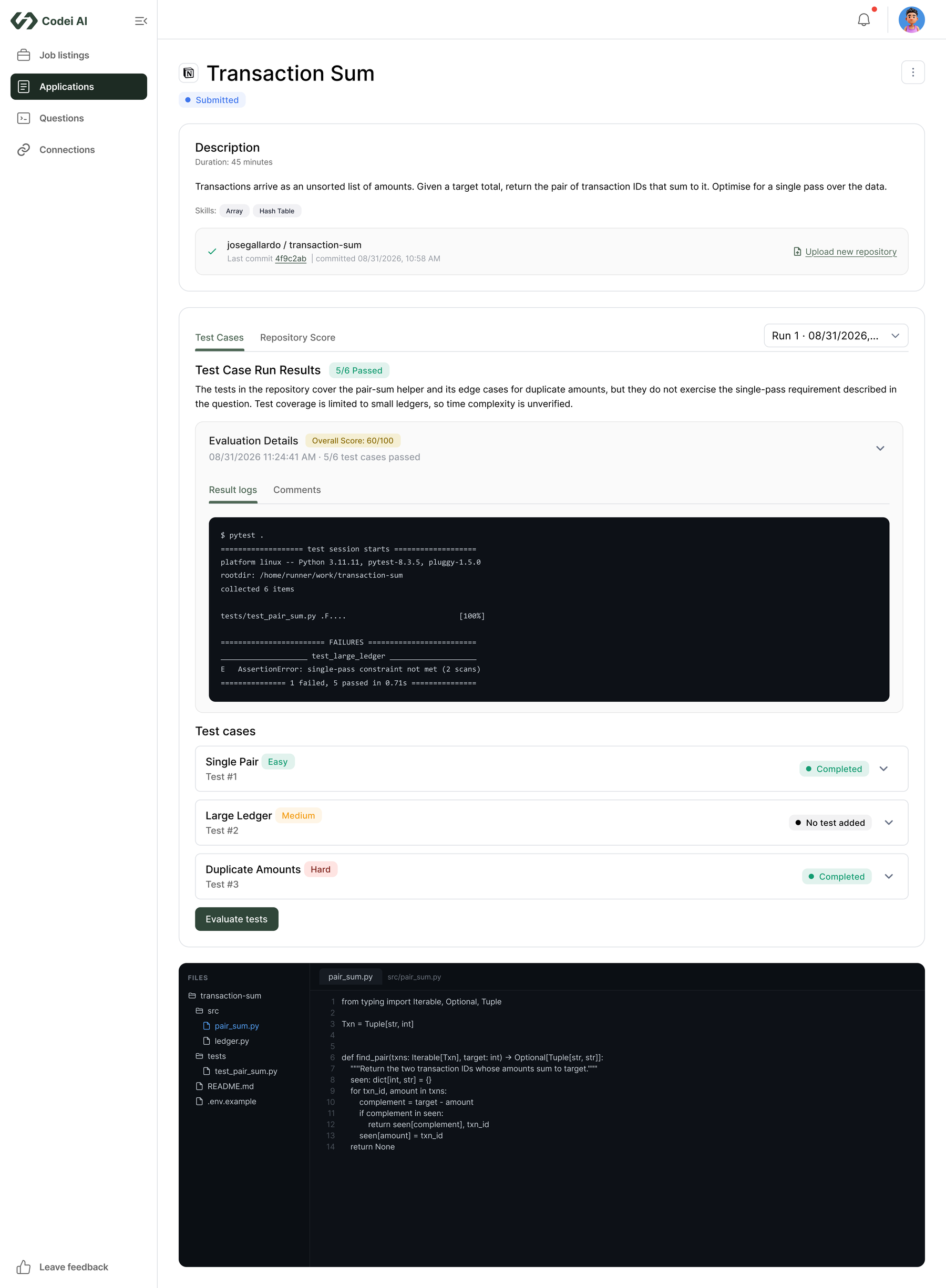
A real test run plus a written review, not just an AI's opinion.
Track It, Wherever You Find It
Applications were scattered across tabs, boards, and spreadsheets. And spreadsheets die within a week.
Save a job from anywhere, and it lands on one dashboard, already organized
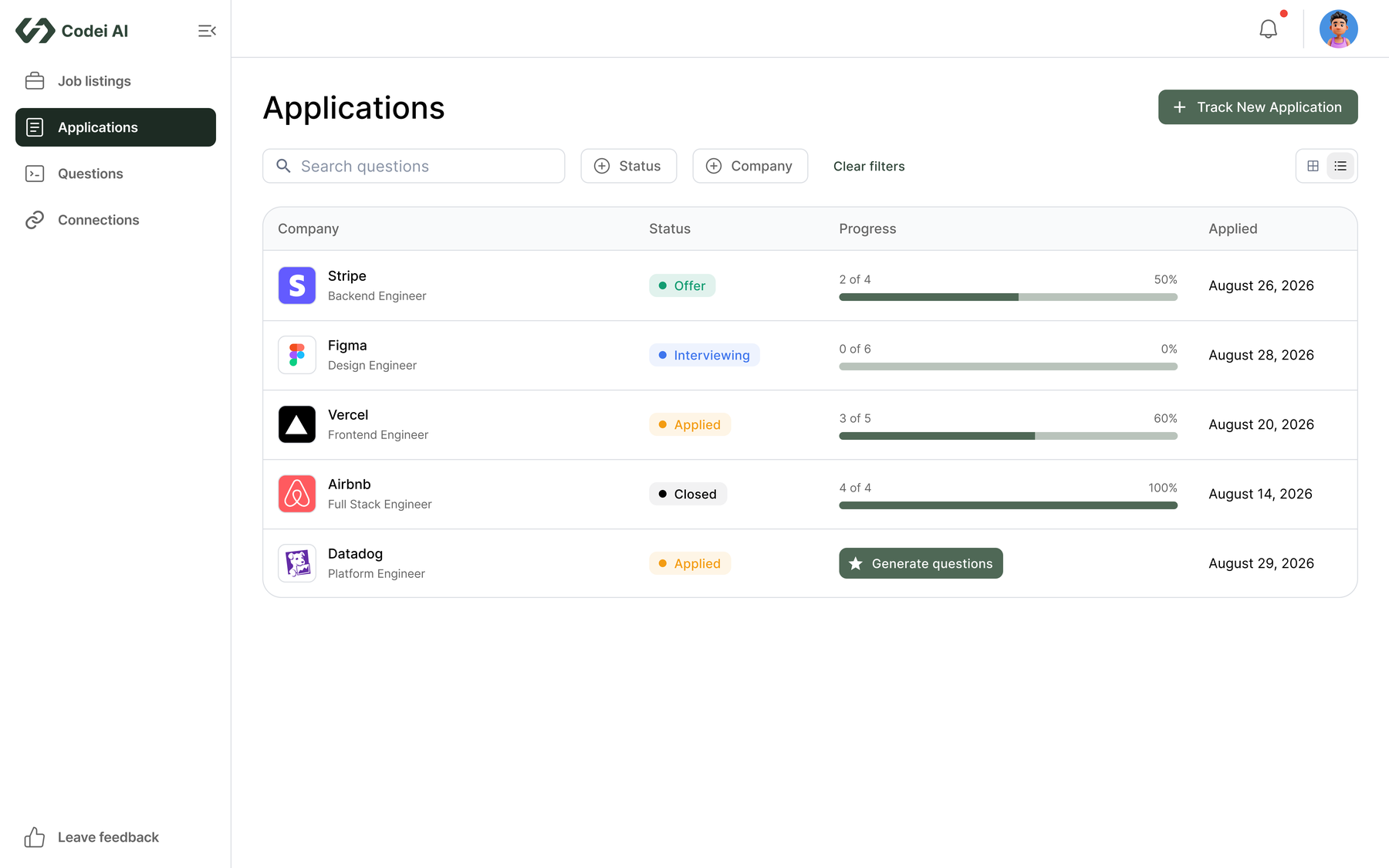
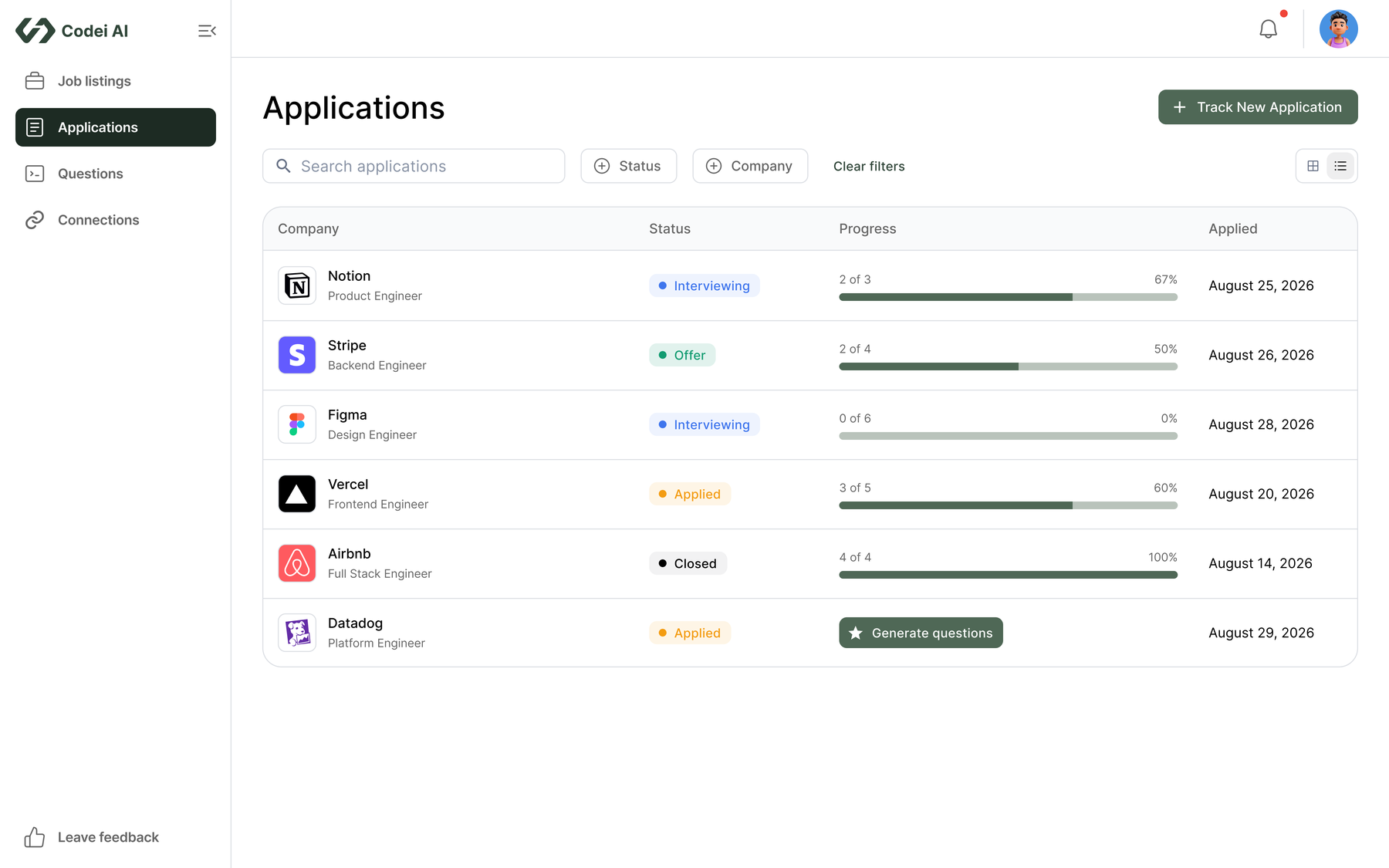
You can browse and apply for jobs right inside Codei, or save one you found somewhere else with a single click. Before building this, I asked people how they already kept track of their job search. Most said tabs and spreadsheets. So instead of asking them to learn a new system, Codei just needed to take a job from wherever they found it and drop it onto one organized dashboard.
Practice Built for the Role, Not a Question Bank
Most interview prep has nothing to do with the job someone is actually applying for. There was no shortage of practice questions online, but none of them were tied to the skills a specific role actually needed.
Questions generated from that job's actual skills
When you start practicing for a role, you choose between two kinds of questions: coding problems similar to LeetCode, or a small project built the way you'd build one on the job, closer to a real GitHub repository. Either way, Codei generates the questions from the skills listed on that specific job posting. I originally planned a bigger system with difficulty levels and streaks to track progress, but testing showed that two modes tied to the real job mattered more than a big generic question bank ever did.
Every Exercise Writes Your Resume for You
Even after spending hours on a practice project, most people ended up with nothing they could actually use. The finished code sat in a repository nobody would ever look at, and turning that work into something worth putting on a resume took more effort than most people had time for.
Resume-ready bullets, with real numbers, attached to the work
When you finish an exercise, Codei writes a short summary of what you built and turns it into resume bullet points, with real numbers pulled from your own work, like how much faster your solution runs or how many test cases it passes. You can copy these straight onto your resume instead of writing them yourself.
Proof, Not Just a Grade
Even after finishing an exercise, most people had no real way to know if their solution actually worked, or how it stacked up against what a hiring manager would expect from a working engineer. A green checkmark on its own doesn't prove much.
Real test results and a written review, not just a single AI score
When you connect your GitHub repository, Codei runs your code against real automated tests, the same way an engineer would check it before shipping. Alongside those results, it writes a separate review that calls out specific strengths and weaknesses in your solution. You walk away with real proof of what works, not just one number telling you pass or fail.
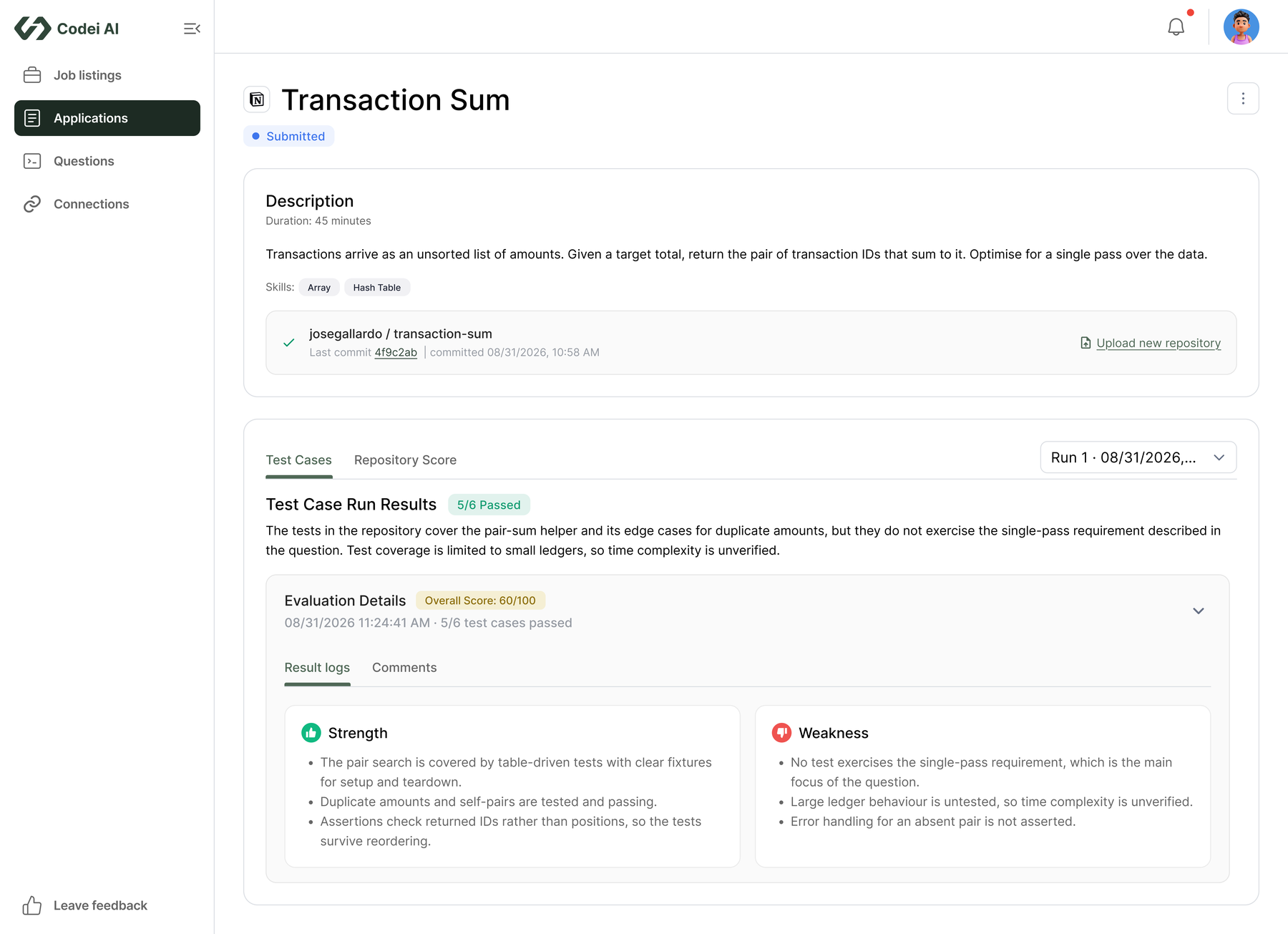
From Application to Evaluation
One path from start to finish: track an application, generate its questions, work through them, and get evaluated on real code. Step through it below.
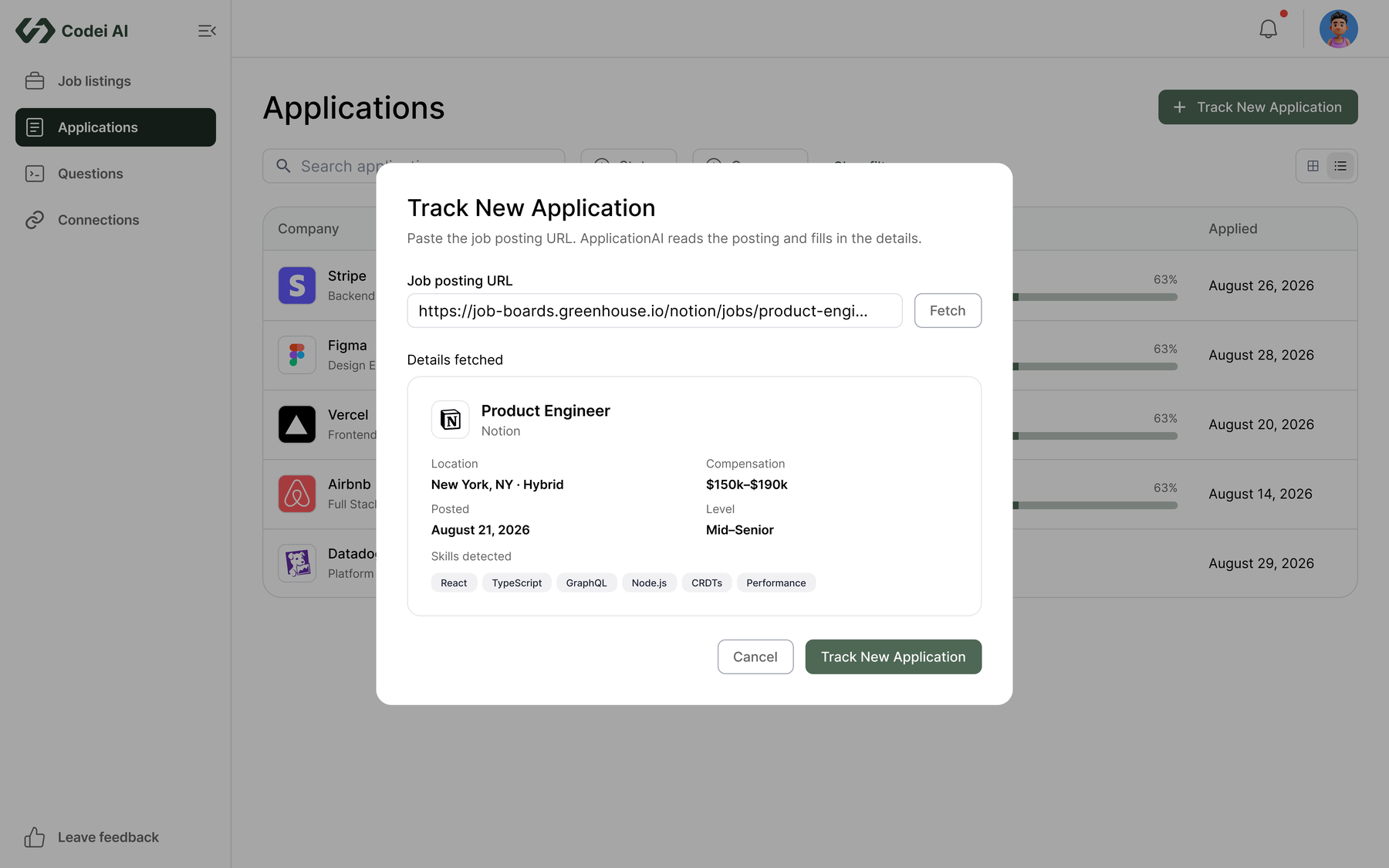
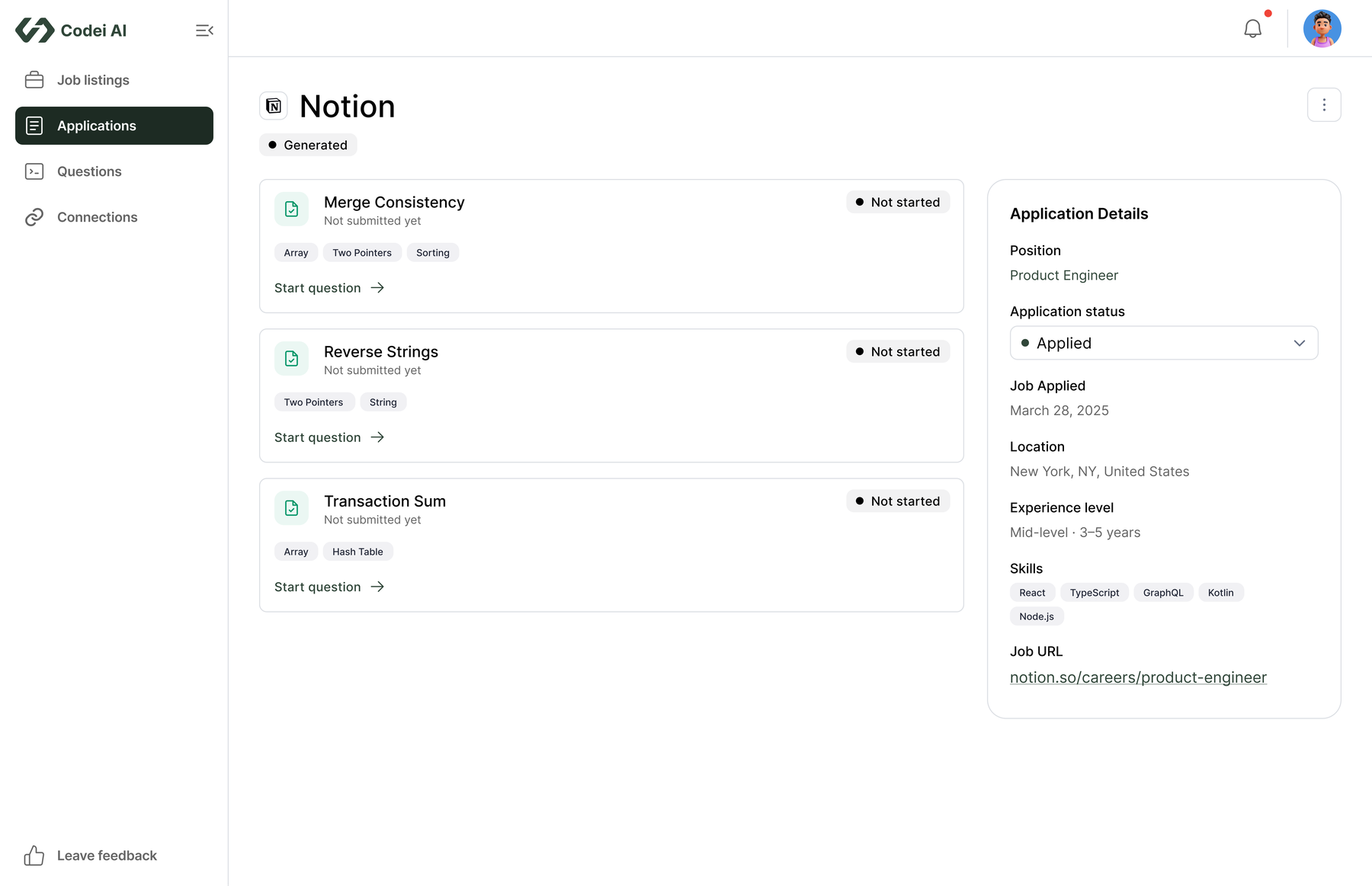
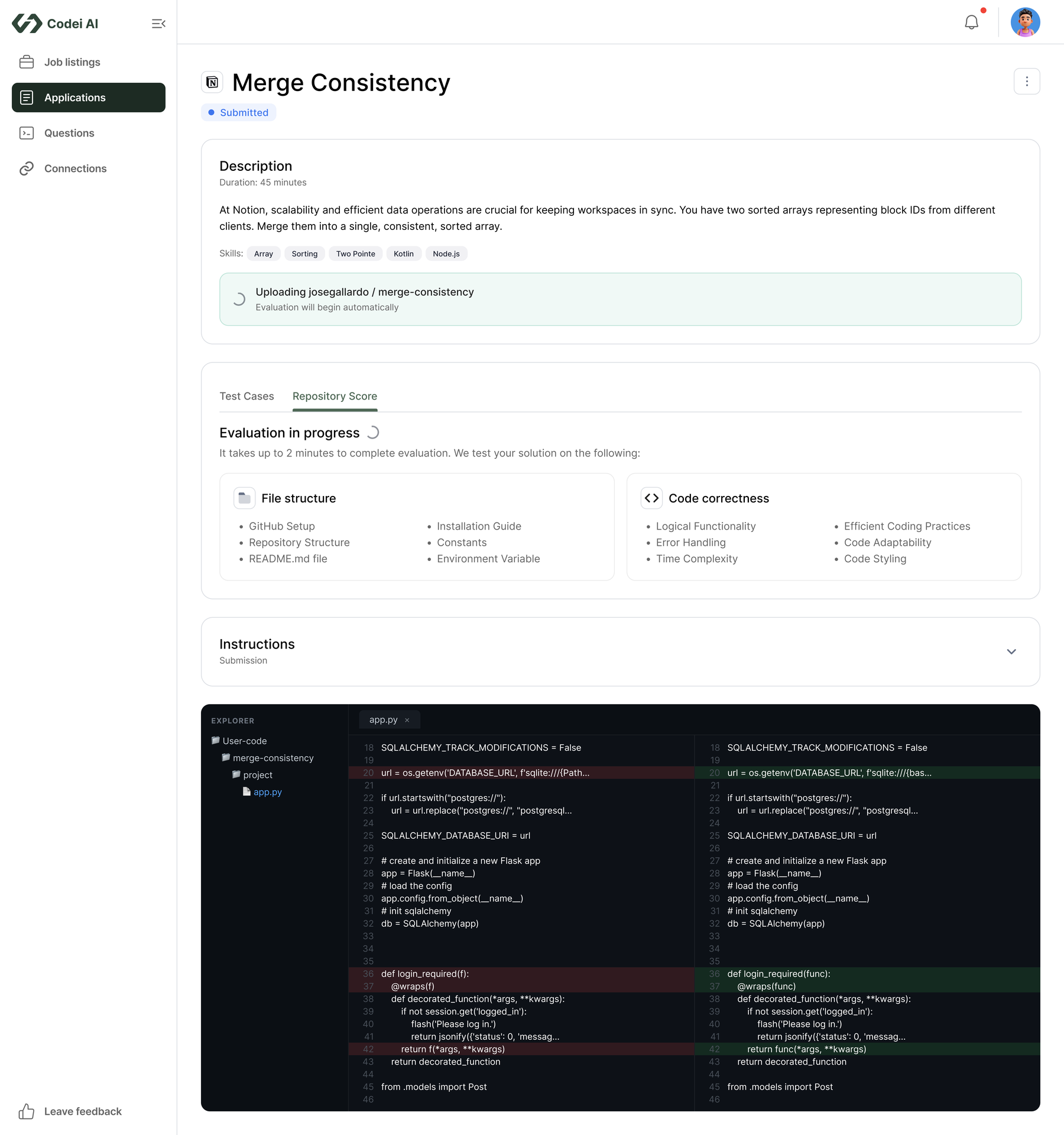
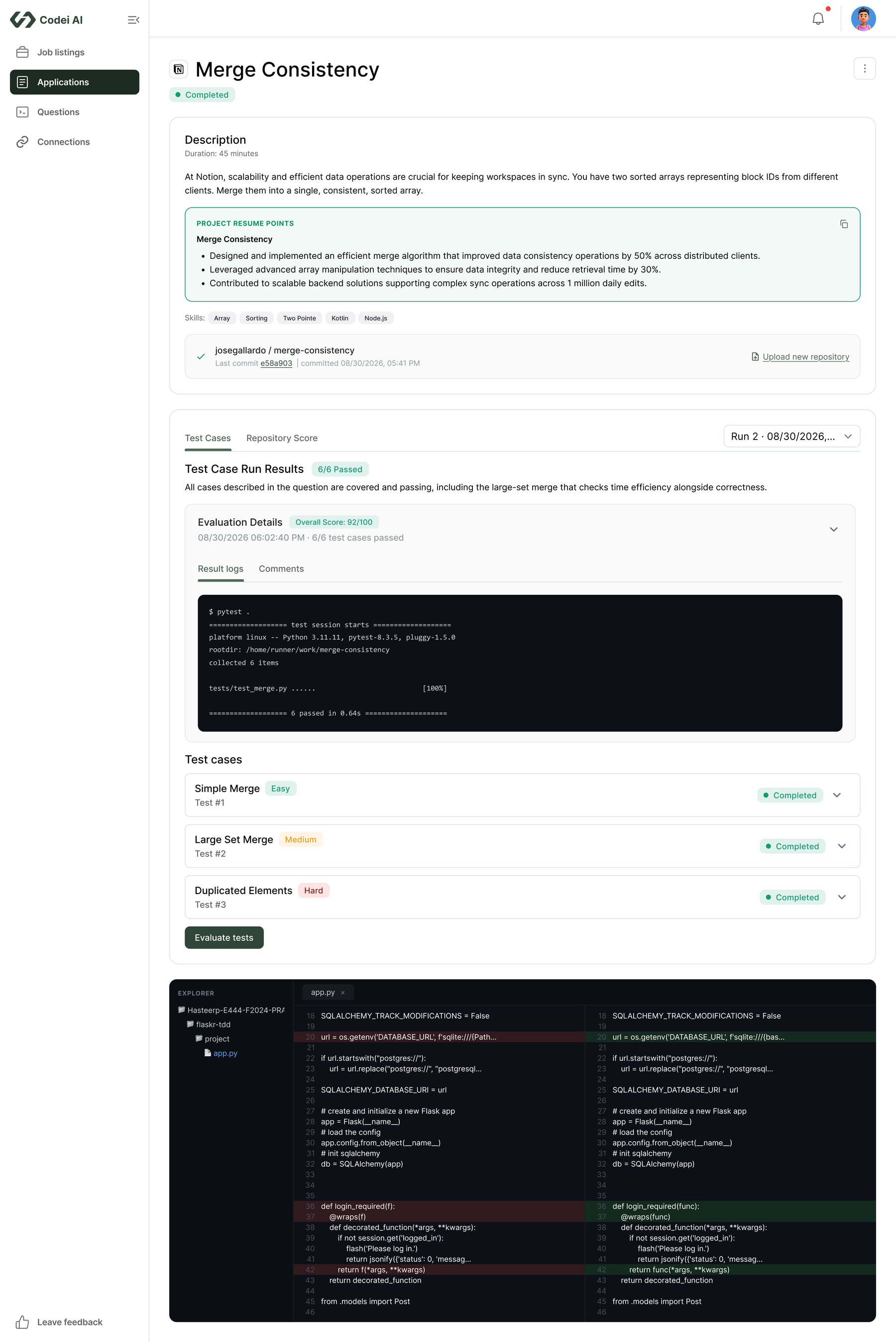
A path from each application to relevant practice and proof.
The final design connects a tracked role to questions based on its skills, a submitted repository, and test results that show what worked. It gives job seekers a path from organizing applications to producing work they can discuss with a hiring manager.
Proof works better than a promise.
A single AI score could not explain whether a solution actually worked. Showing test results beside a written review made the feedback specific enough for job seekers to inspect and use.
Read the next case study
Environment management for infrastructure teams