
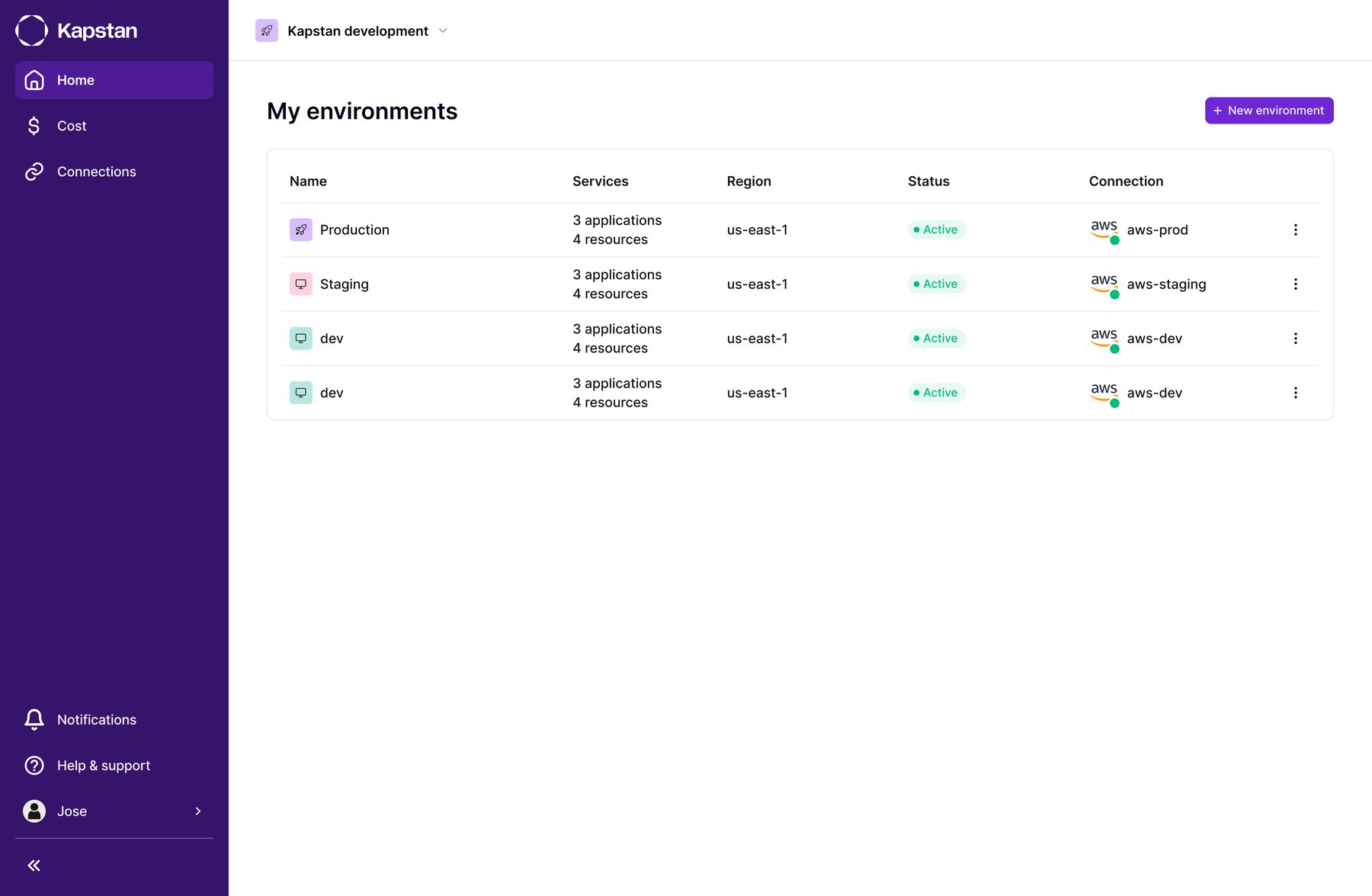
How do you let teams provision production-grade infrastructure without needing to know Terraform, while keeping staging and production honestly comparable?
Standing up a new environment meant hand-building a VPC, a Kubernetes cluster, and every supporting resource from scratch. It was slow, and every environment ended up a little different from the last. Teams needed staging to look enough like production to catch real bugs, but cheap enough that it didn't double the cloud bill. And once a team had a working environment, there was no easy way to copy it. Every new one meant setting it up manually, all over again.
Double Diamond
The ask was faster provisioning. The actual problem was that nobody could see what provisioning would do until it had already happened.
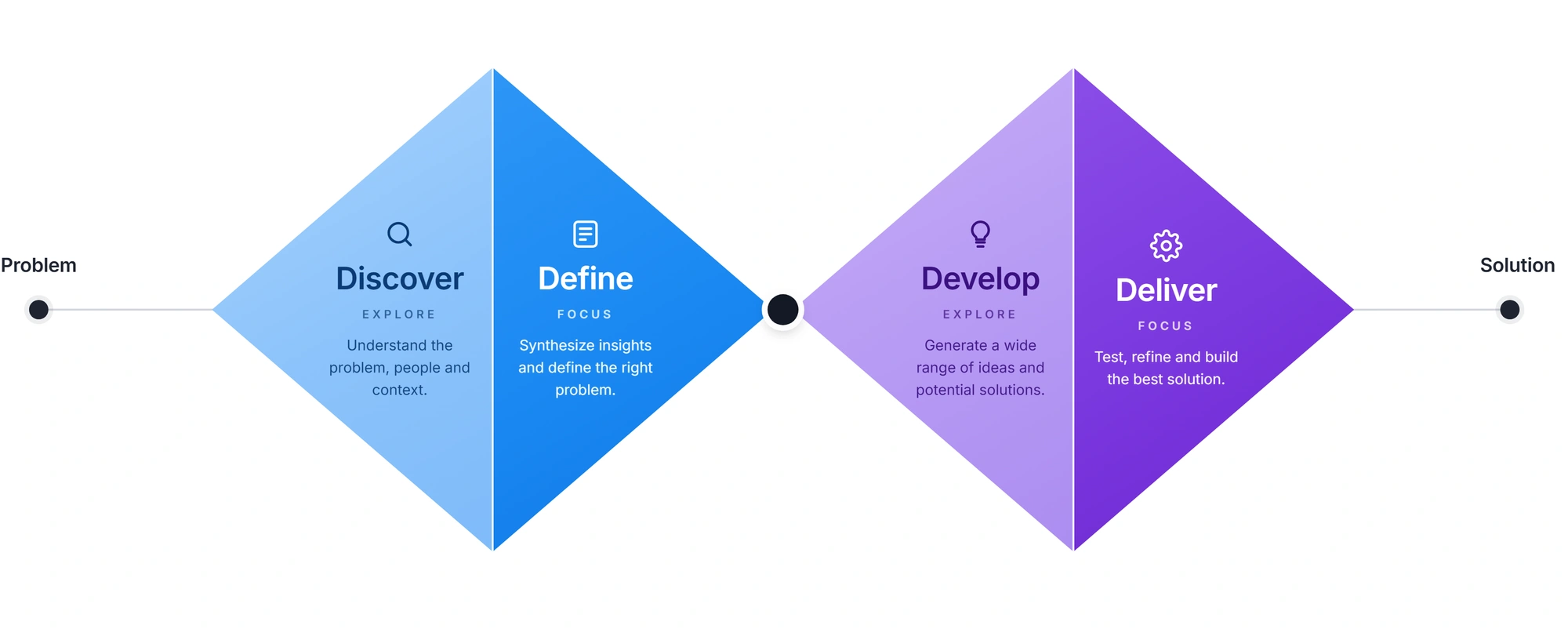
Discover
Every environment was hand-built, and every one came out different.
Standing up an environment meant assembling a VPC, a Kubernetes cluster, and every supporting resource by hand. It was slow and it drifted. Teams wanted staging close enough to production to catch real bugs, without doubling the cloud bill to get it.
Define
Show people what a decision will do before they make it.
The common thread was not speed, it was blindness. Teams were committing to infrastructure they could not see beforehand. Two rules followed: defaults should match what an environment is for, and anything irreversible should be visible first.
Develop
Let the environment type carry the decisions.
Rather than adding more knobs, the type does the work. Picking Staging or Production changes what gets built and recommended. Cloning went the same way: copy a working environment exactly as it is, with a preview of every resource it is about to create.
Deliver
Staging starts from production, with the full build visible first.
Teams can clone an existing environment instead of rebuilding its resources and applications separately. A preview lists what the clone will create, giving teams a production like starting point they can inspect before provisioning begins.
Decision and result
Decision
Make environment type set the defaults, and show the full resource list before a clone begins provisioning.
Evidence
Manually built environments drifted apart, while teams needed staging to resemble production without carrying the same cloud cost.
Result
A staging environment can start from a production clone, including its infrastructure and applications. Teams review the resources before creation instead of rebuilding them separately.
Goal: show people what a decision will do before they make it.
Type-aware provisioning
Tailor infrastructure defaults to what the environment is for.
Visible before irreversible
Show exactly what will happen before you take an action you can't undo.
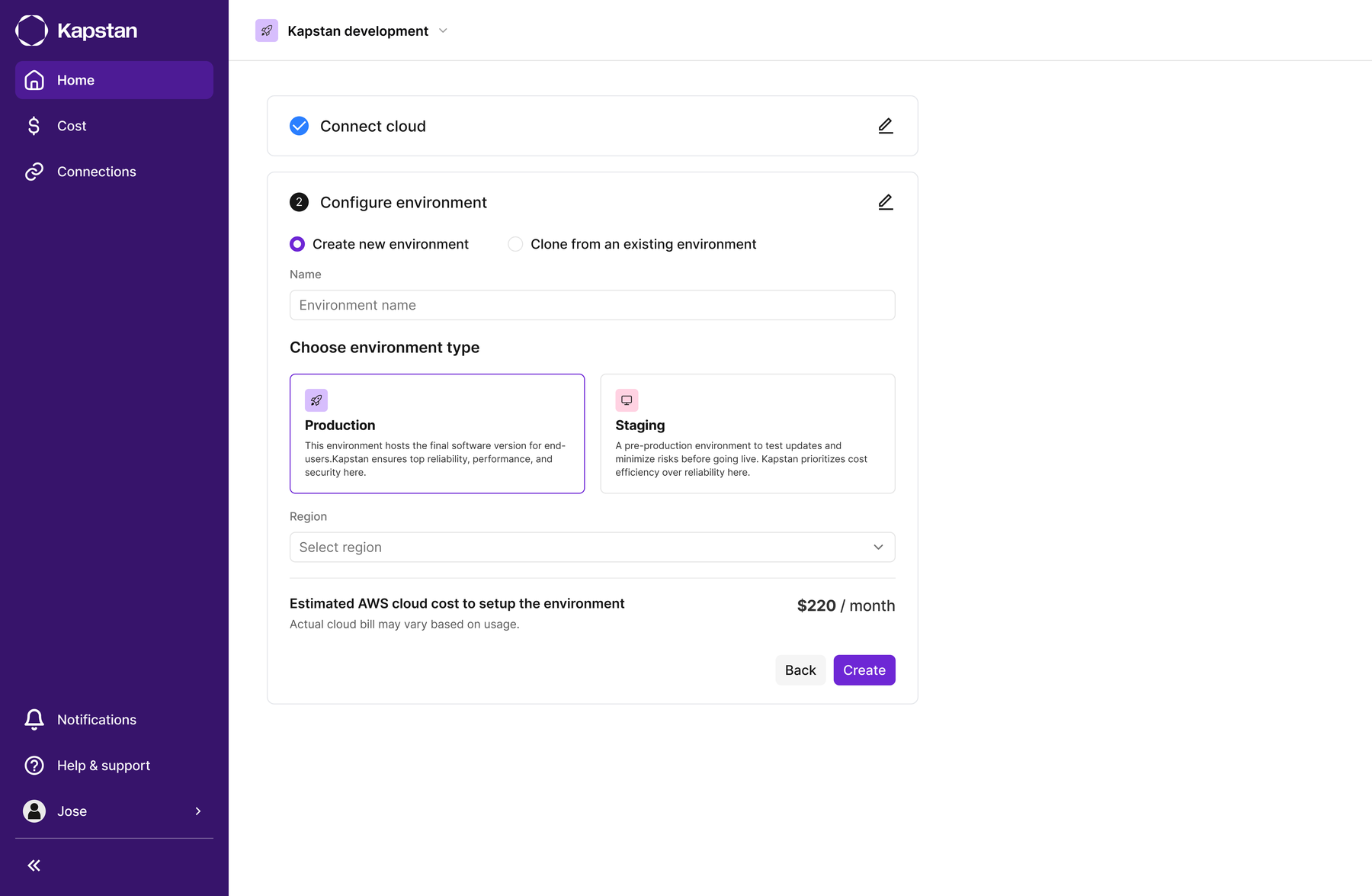
Smart Environment Types
Every environment was set up the same way, no matter what it was for. Staging often ended up with more resources than it needed, and production sometimes had too few.
The type you choose decides what gets built
When you pick Staging or Production, Kapstan changes what it builds and recommends to match. Staging launches with a lighter, cheaper setup, since it doesn't need to run around the clock. Production launches with a sturdier setup built to stay reliable.
One-Click Cloning
Once a team had a working environment, there was no safe way to copy it. Every new one meant setting it up manually all over again, and staging slowly drifted away from production.
Show what a clone will build, before it builds it
You can copy an existing environment, infrastructure and applications together, in one action. Before anything gets built, you see a list of every resource and application it's about to pull from the source environment.
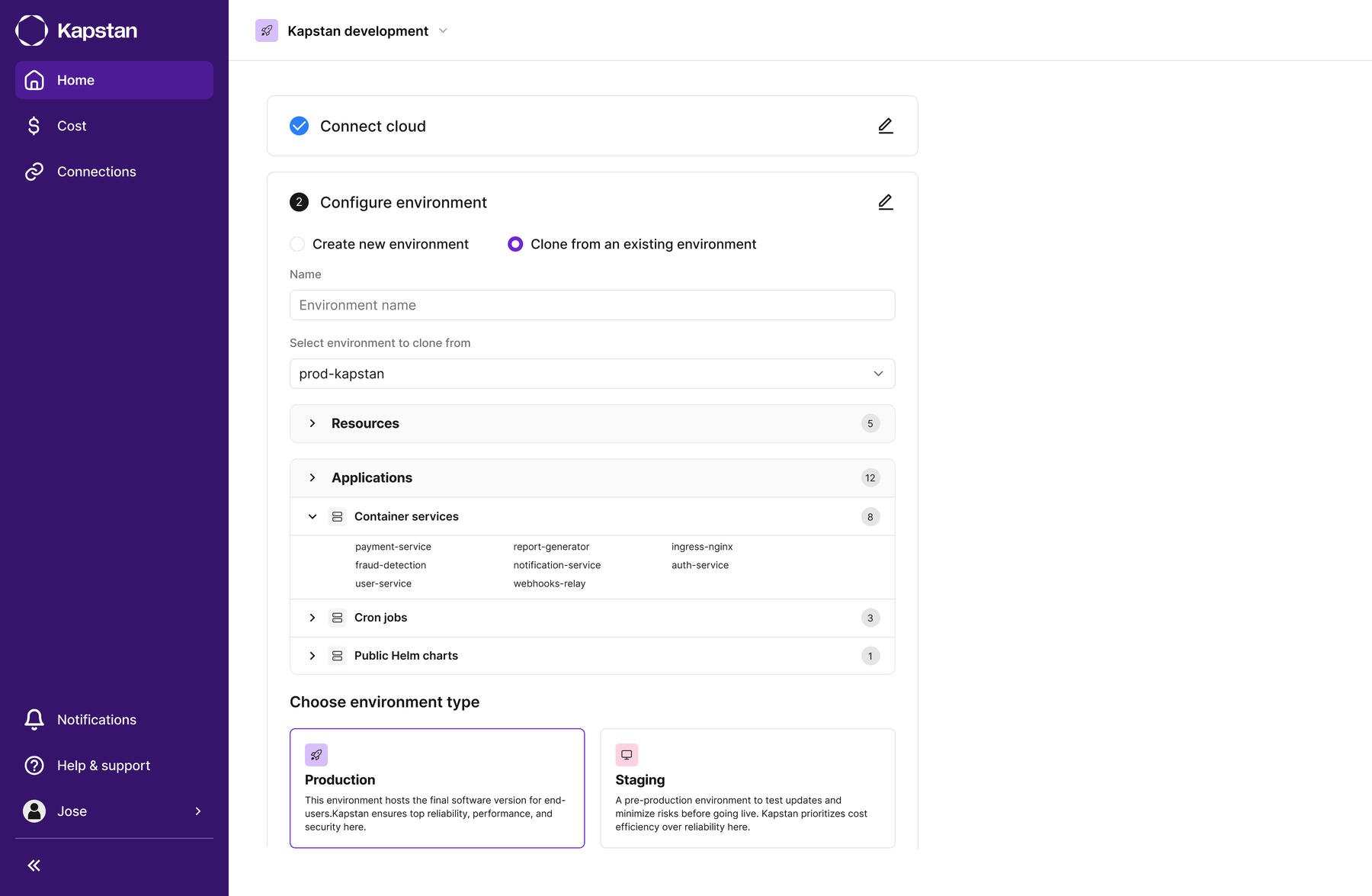
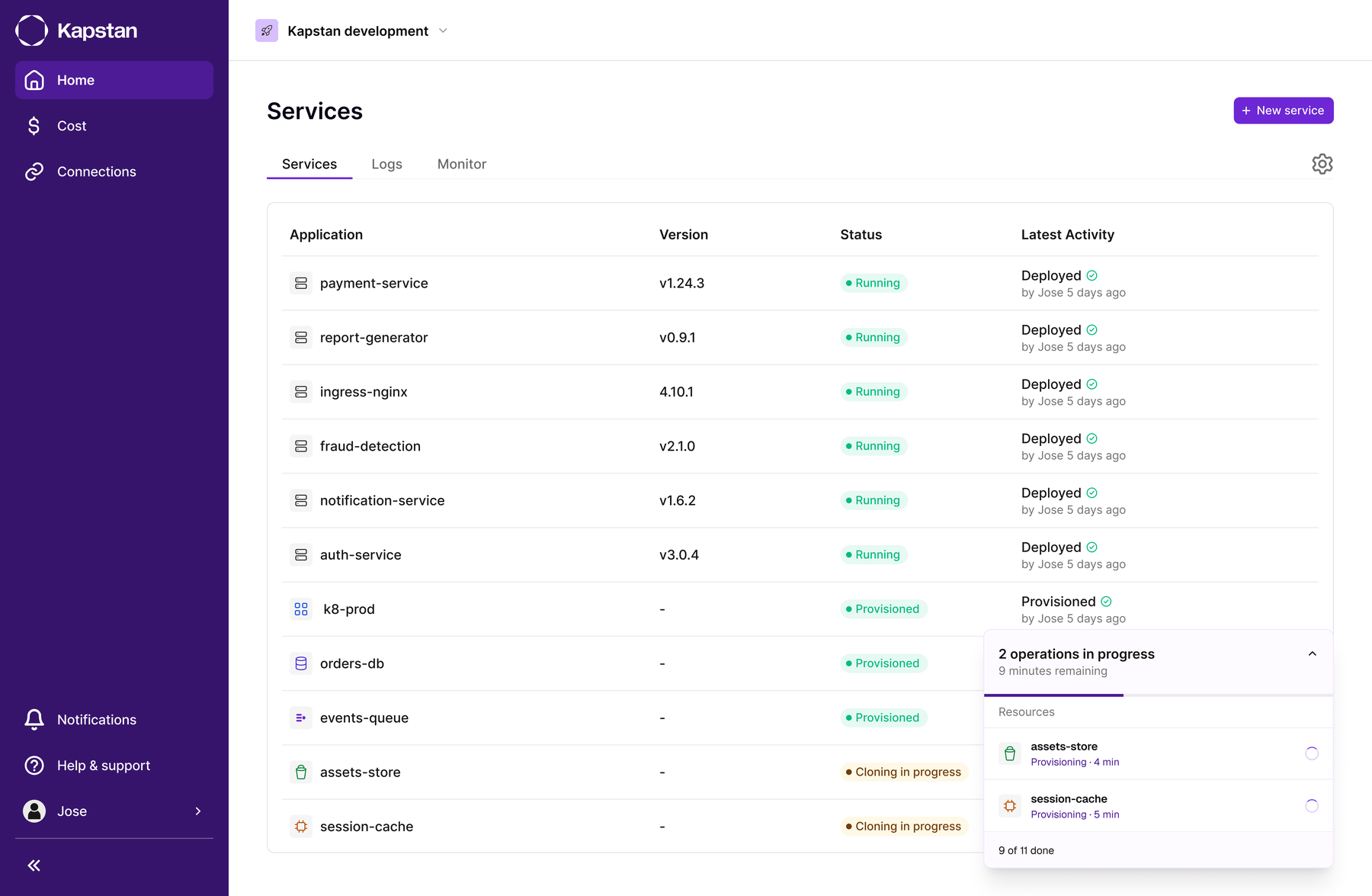
A production like staging environment without rebuilding it by hand.
Cloning carries the source environment's infrastructure and applications into a new staging environment. Teams no longer need to configure the VPC, cluster, and supporting resources separately for each copy. Starting from the same configuration removes a source of staging drift, while the preview lets teams review every resource before it is created.
The click isn't the hard part.
Designing for infrastructure means designing for what happens after someone clicks. A clone here isn't a cosmetic action. It can affect a live product. The hard part wasn't the button itself. It was showing enough of what's about to happen that nobody had to guess.
Read the next case study
The application lifecycle, end to end